Login
Login
 Register
 Blog
Blog


Twitter Profile Privileges - Help
On this page you can find the detailed description on how to set up your Twitter Settings, so Everybody can interact with your Twitter Account.
Higher the number of Twitter interactions = better overall Twitter rank.
Step 1. - Login To Your Twitter Account | |
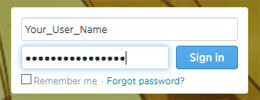 | Log in to your Twitter Account. |
Step 2. - Click On the "Settings Button" | |
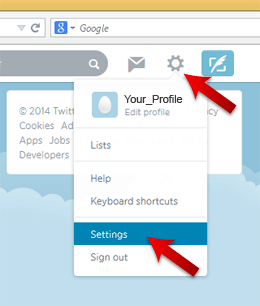 | On the upper right corner of the Twitter Page there is an Gear Icon. Click on the Gear Icon and select Settings option. |
Step 3. - Click on Security and Privacy | |
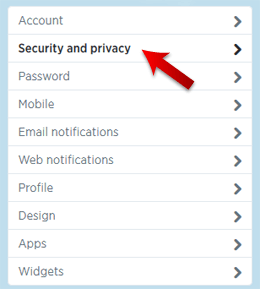 | New Page will open and click on the on the Security and Privacy option. |
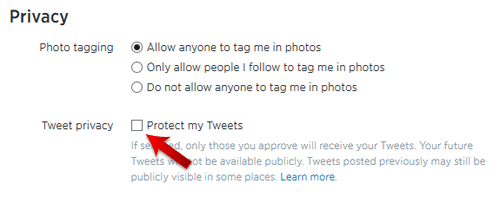
Step 4. - Deselect "Protect My Tweets" | |
Under the Tweet Privicy make sure that Protect My Tweets option is not selected and click on the "Save" button. | |
 | |
 | |
Step 5. - Get One Follower on your Twitter Account | |
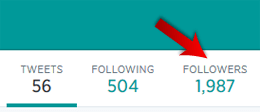 | For our system to work correctly you will need to have one Social Media Interaction on your Twitter Page (in this case one Twitter Follower). |